Knowledge Base
Categories: Getting Started & Access
How to Access the WordPress Hosting Control Panel
When you need to manage settings for your WordPress Hosting plan. This article explains how to access the WordPress Hosting control panel.
You can follow the steps below to access your WordPress Hosting control panel.
Step 1: Log in to your control panel.
Step 2: Navigate to the Order Information view.
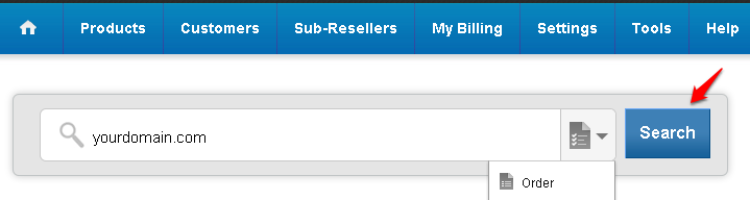
Type the Domain Name of the order in the search field on the homepage, select Order from the drop down and click on Search.
Step 3: Access the WordPress Hosting control panel.
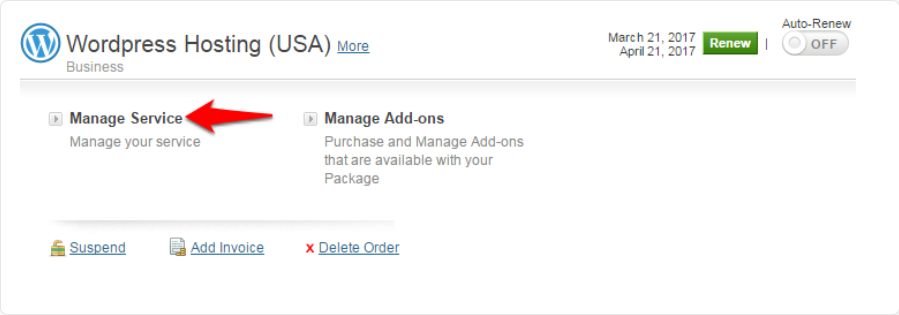
Click on the Manage Service link to get automatically logged into your WordPress Hosting control panel.
Did you find this article helpful?