How to Add and Manage SSH Public Keys on a VPS
When you want to set up passwordless SSH access for your server. This article explains how to add and manage SSH public keys on a VPS.
SSH key based access is a popular and secure method of logging in to a remote server. Our GUI based key manager lets you easily upload & add your keys to your VPS.
You can use any key pair generation tool for this purpose.
How do I add a public key to my server?
Step 1: Log in to your VPS Order management panel.
Step 2: Navigate to the Manage SSH Keys page.
In the Server Management Panel, click on the menu and click on SSH Keys.
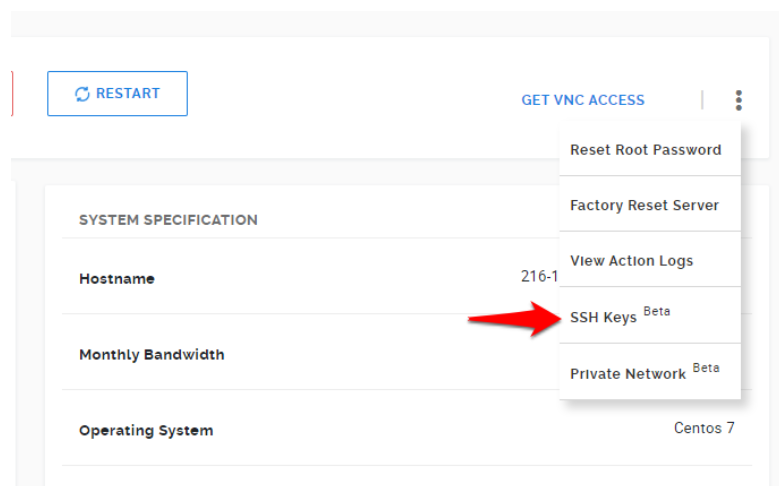
Step 3: Add a new SSH Key
-
Click on Add New.
-
Give this key a recognizable name in the SSH Key Name and paste the public key from your local system into the SSH Public Key box. You can upload & simultaneously install the key on the server by selecting the Install on the server checkbox.
-
If the Install on the server checkbox is not checked, the key is simply uploaded to the Key Manager, and you can install it on the server later by clicking on Install.
Check out our KVM-powered Linux VPS Hosting Plans to get complete control over your server resources.