Knowledge Base
Categories: Renewals & Reissues
How to Reissue an SSL Certificate
When you need to issue an existing SSL certificate again with updated details. This article explains how to reissue an SSL certificate.
In case you want to change any details about your organization then you will need to reissue your certificate by following the steps below.
Step 1: Log in to your control panel.
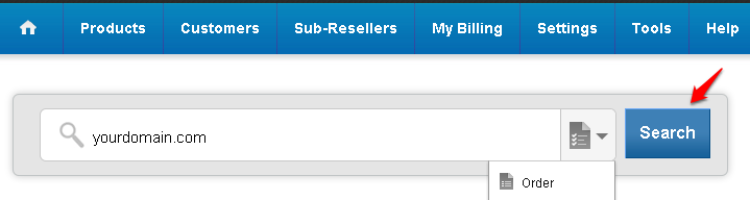
Step 2: Navigate to the Order Information view.
Type the Domain Name of the order in the search field on the homepage, select Order from the drop down and click on Search.
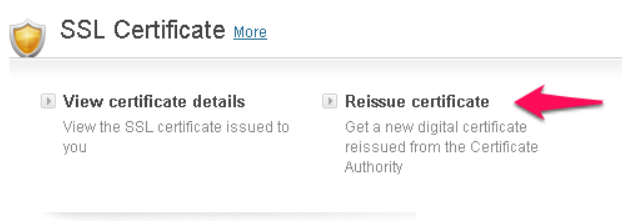
Step 3: Submit your certificate application.
Click on Reissue certificate.
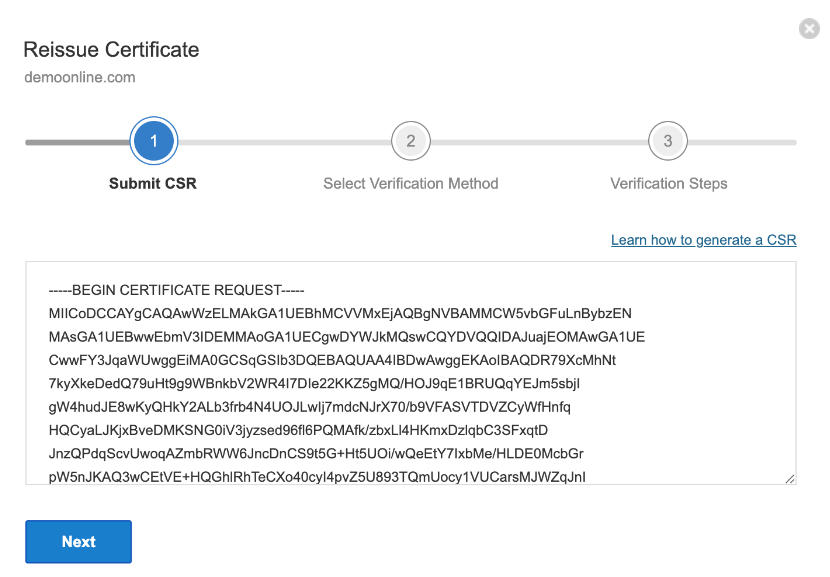
Submit your CSR and click on Next.
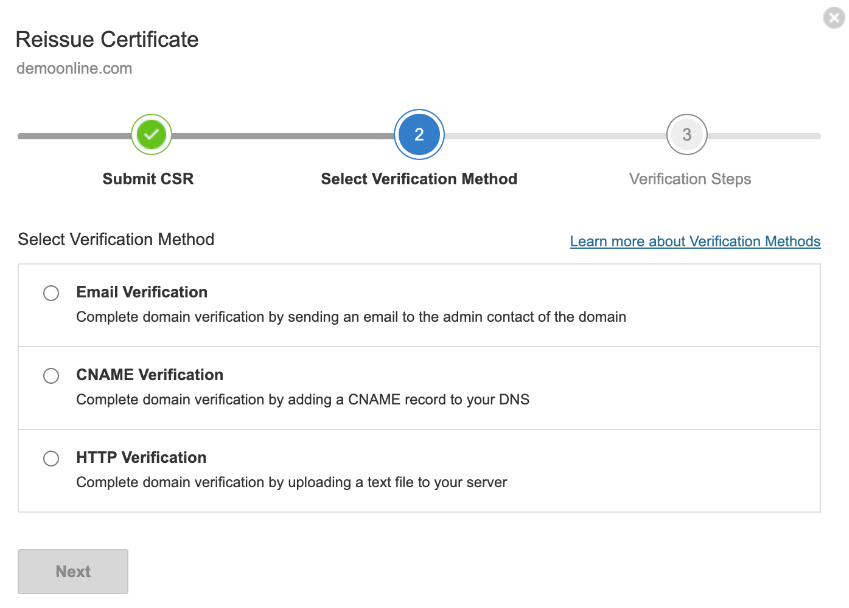
Select a verification method from the available methods and complete the domain verification process.
Important
- Ensure that Privacy Protection is disabled for the Domain Name.
- An SSL Certificate will not be issued to a national or resident of Cuba, Iran, Sudan, North Korea, or Syria, or any other country where such use is prohibited under United States export regulations, or anyone on the United States Treasury Department's list of Specially Designated Nationals or the United States Commerce Department's Table of Denial Orders.
- The HTTP verification method is not available for a wildcard SSL certificate.
Did you find this article helpful?