How to Unblock Suspended Email Accounts in cPanel
When your email account is suspended in cPanel, preventing sending or receiving emails. This article explains how to unblock the account, complete required actions before activation, and restore email functionality.
How to Unblock Email Accounts in cPanel
Log in to the cPanel.
Navigate to the Unblock Email Accounts page.
Click on Unblock Email Accounts under the Email section.
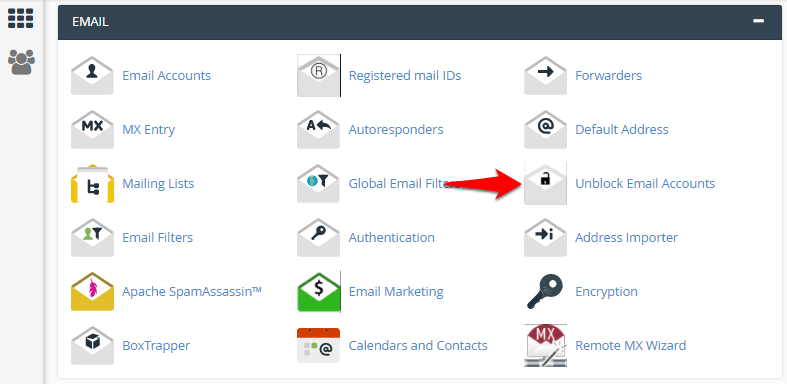
Activate the Email account.
-
Based on the reason for suspension, you will be required to take certain actions before requesting activation.
-
Once you have completed the required actions, click on Activate Account.
-
The message will appear in your cPanel interface once the accounts are successfully unblocked.
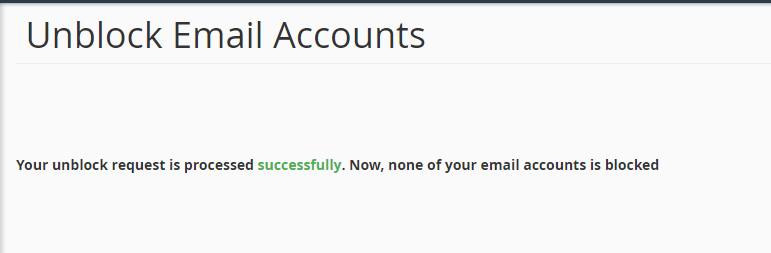
-
If the email activation is requested without taking the required actions, the option will be disabled after 3 such attempts.
-
A username@hostname entry indicates that non-authenticated SMTP emails will be affected. It is recommended that the email settings be revisited based on the email suspension notification.
-
An email account entry indicates that email services via Webmail/email client will be affected.
-
A cPanel username entry indicates that the complete email service for the domain is suspended.