Overview of WordPress Hosting Control Panel Features
When you want to review the management tools available for WordPress Hosting. This article explains the features of the WordPress Hosting control panel.
This guide will help you manage your blog, SSL certificates, and create your email & FTP accounts.
Managing FTP Accounts
Follow the steps below to create and manage FTP accounts.
-
Log in to the WordPress Hosting control panel.
-
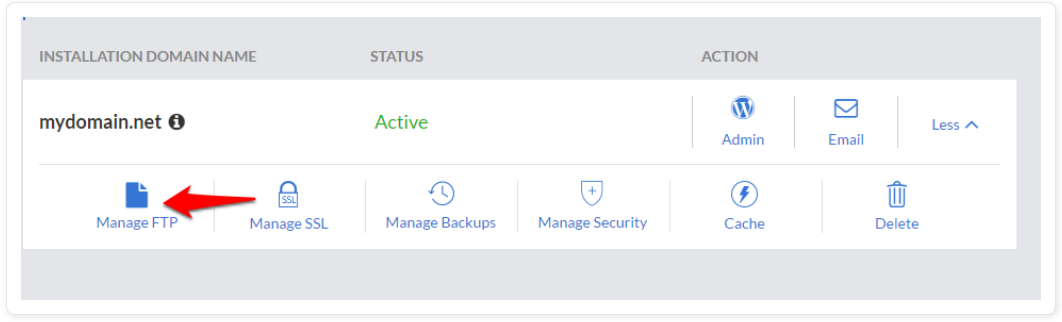
Click on Manage FTP.
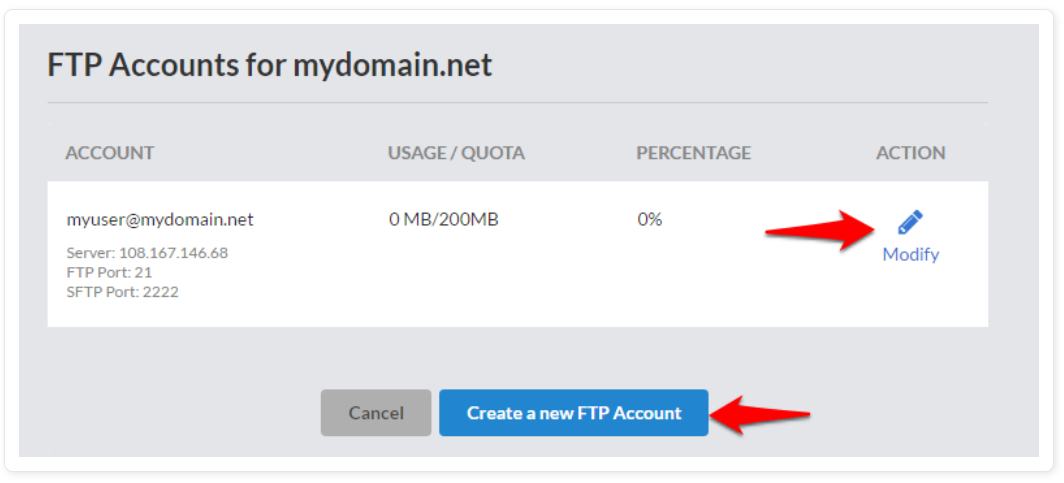
- Click on Create New FTP Account to add a new FTP account. You can also click on Modify to update or delete an existing FTP account.
Managing Email Accounts
Follow the steps below to create and manage Email accounts from the WordPress control panel.
-
Log in to the WordPress Hosting control panel.
-
Click on Email.
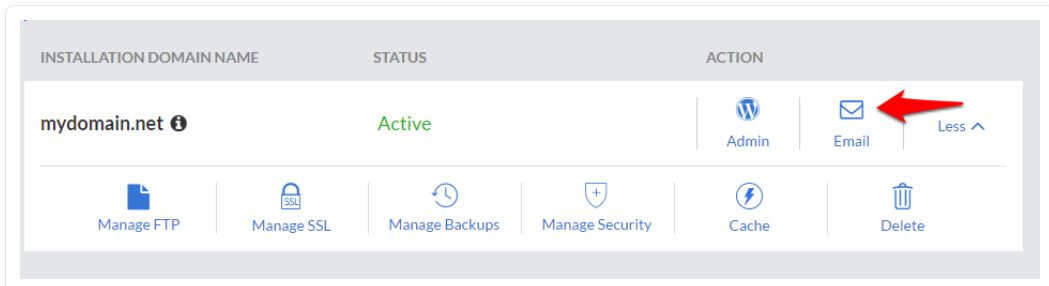
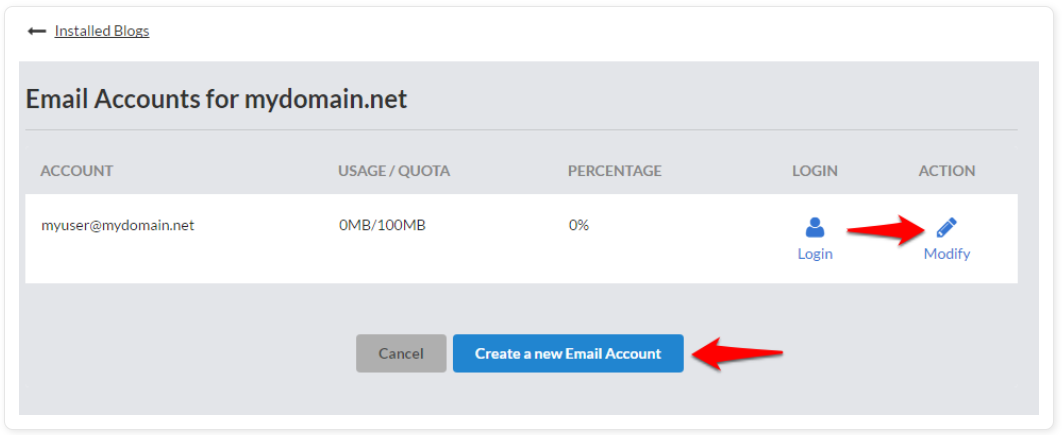
- Click on Create New Email to add a new email account. You can also click on Modify to update or delete an existing email account.
Managing SSL Certificates
Follow the steps below to install an SSL Certificate for your blog.
-
Log in to the WordPress Hosting control panel.
-
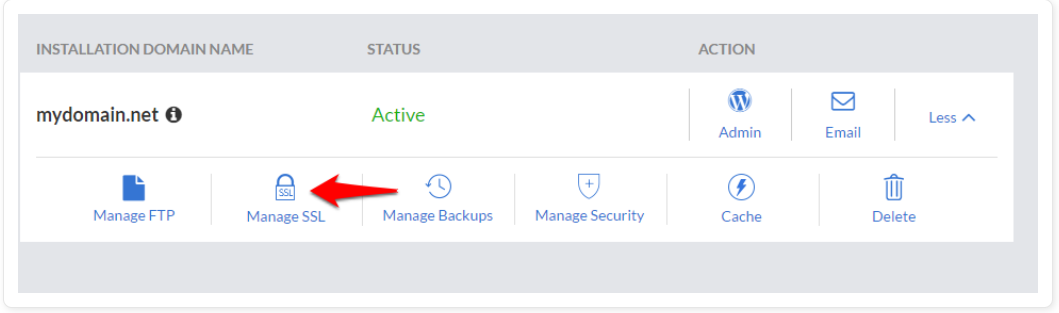
Click on Manage SSL.
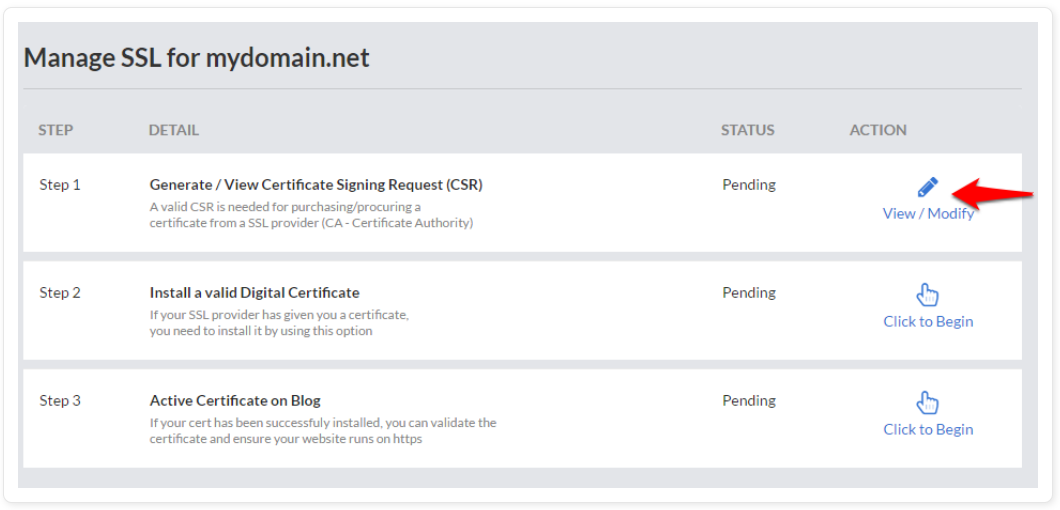
- Click on the link next to Generate / View Certificate Signing Request (CSR) to generate a CSR.
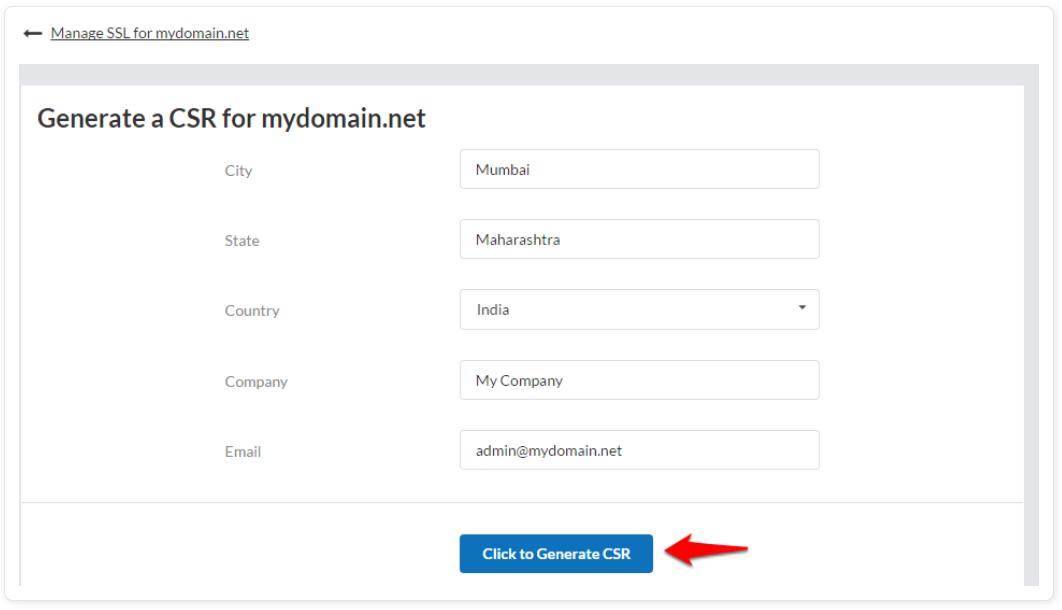
- Fill in the details for the CSR and click on Click to Generate CSR.
-
You can use the generated CSR to issue a digital certificate from your certificate provider.
-
Once you have received the digital certificate, click on the link to install a valid digital certificate.
-
Click on the link next to Activate Certificate on Blog to activate the certificate.
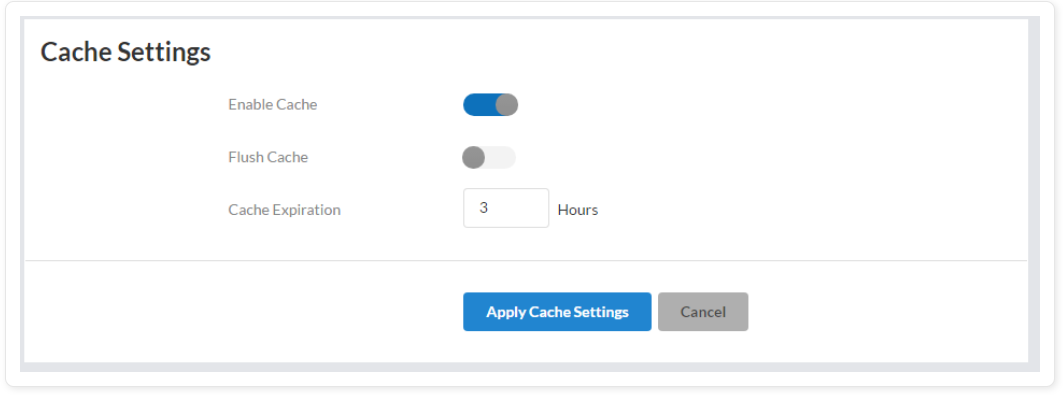
Managing the Cache settings