
Are you a pro user of Linux, probably Dedicated Servers or Virtual Private Servers? If yes, then I’m sure the security of your web hosting is a concern that you cannot take lightly.
Viruses, worms and other malicious entities are always evolving to beat the latest defences that system architects and security companies can devise. Hence, it is a good practice to be prepared and ClamAV antivirus is the best choice, with it being available on our cPanel Servers.
What is ClamAV?
ClamAV is an open source antivirus software used as a web and mail scanner protecting the computer from malicious viruses providing security. It supports multiple file formats, signature languages and also includes a multi-threaded scanner daemon. ClamAV is a cross-platform antivirus software supporting operating systems like Windows, Linux, BSD, Solaris and Mac OS X.
Features of ClamAV
Some of the features of ClamAV include the following:
- It is a command line scanner with advanced tools
- Is able to detect over 1 million viruses, trojans, worms, mobile malware among others.
- Has built-in support for almost all mail file formats
- Supports special file formats like HTML, RTF, PDF, TNEF and others
- Has an advanced database updater supporting scripted updates, digital signatures and DNS based database version queries
- Scans within archives and compressed files and supports file formats like ZIP, RAR, 7Zip, ARJ, Tar, CPIO, Gzip, Bzip2, DMG, IMG and others
How to install ClamAV on Linux?
Now that we’ve seen the features of ClamAV, let us see how to install ClamAV on Linux. For your benefit, we’ll be installing ClamAV on Linux Server as well as a standalone personal computer.
Part I:
We are going to install ClamAV on Linux cPanel in WHM with full root access
Step I: Login to your WHM panel as a root user
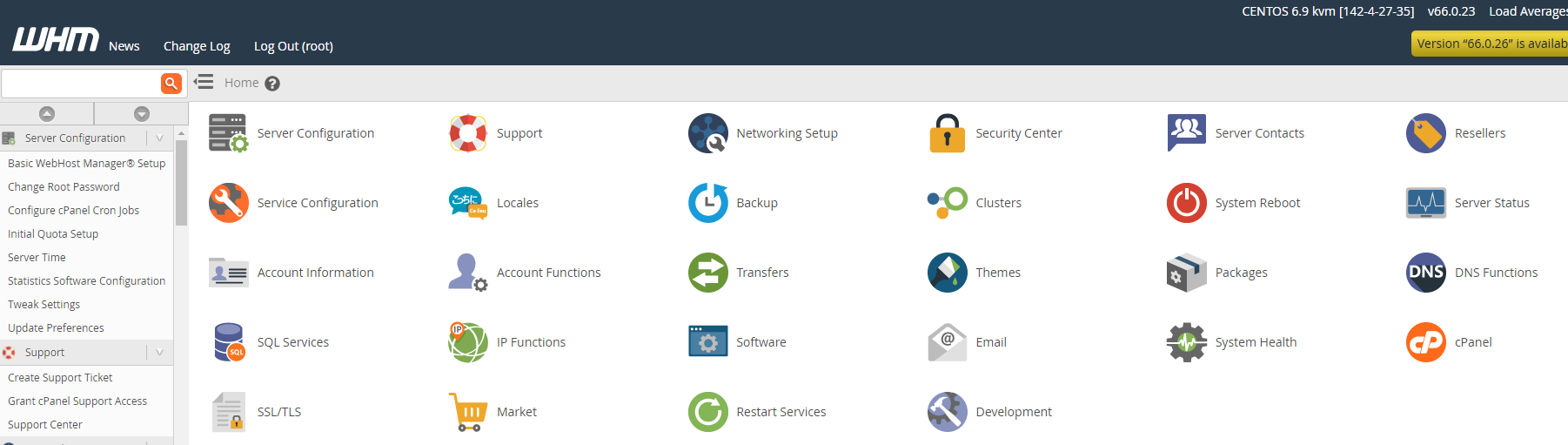
Step II: Now Click on the cPanel icon and select Manage Plugins.

Step III: Select ClamAV and click on ‘Install ClamAV’
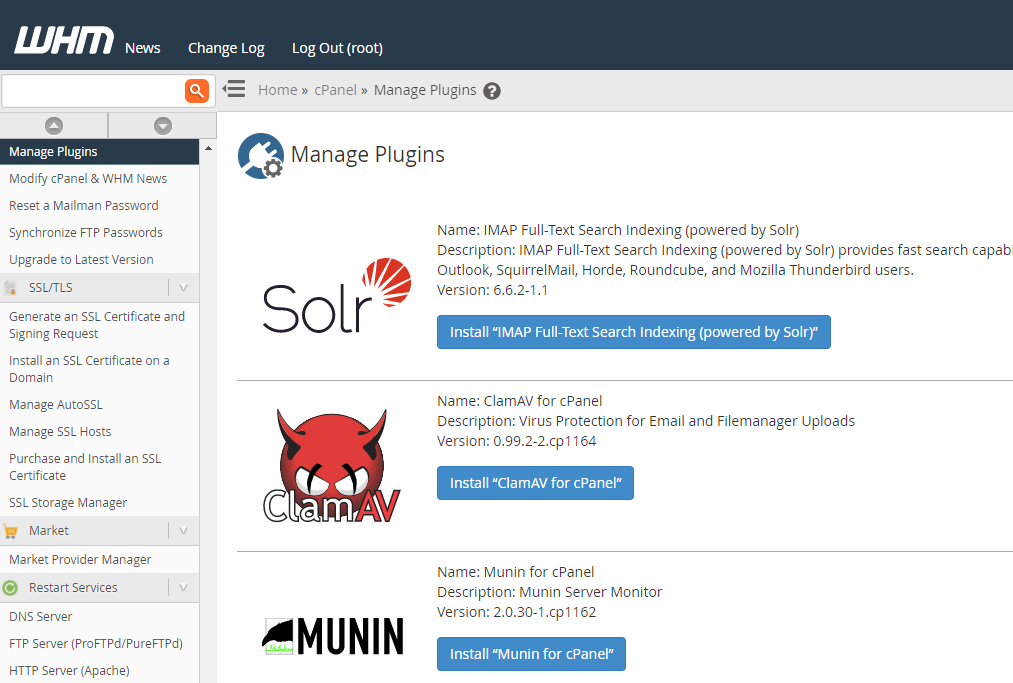
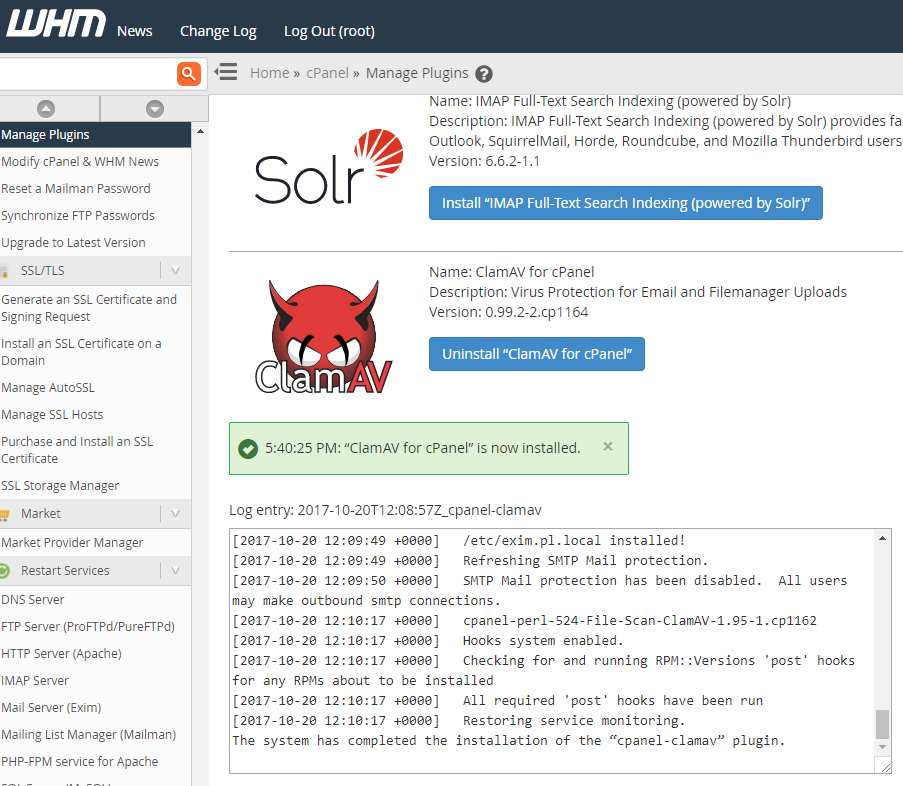
Step IV: Your server is now secured with the latest updated ClamAV anti-virus.
Part II:
For installing ClamAV on a standalone PC with Linux Operating System follow the below steps.
Step 1: Open the terminal and type in the following command. This command installs ClamAV and clamscam, the command-line scanner.
sudo apt-get install clamav
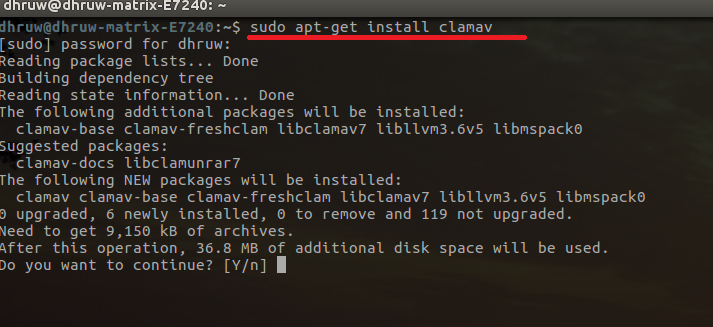
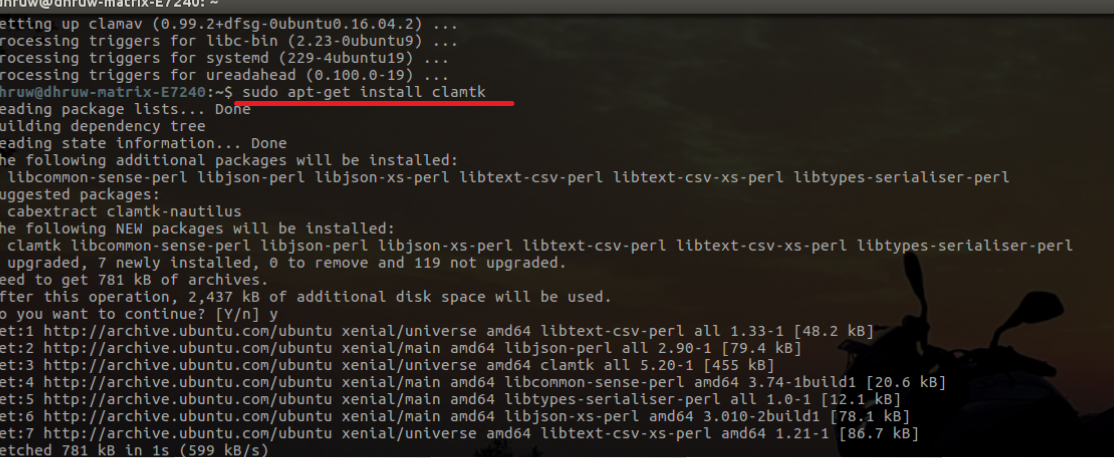
Step 2: Since ClamAV is a command line tool, running it can be a hassle. For that purposes, installing a GUI tool is a better option. ClamTk is a GUI front-end tool for ClamAV using perl-Gtk2. It can be found in the Software Center or can be installed manually. Below is the command for manual installation.
sudo apt-get install clamtk
How to use ClamAV?
Once you’ve installed ClamAV on Linux, it is time to use it. There are some commands that can be run in clamscan. For example,
-h, -help: This is for printing help information and exit.
You can find further commands on our ResellerClub Knowledge Base
ResellerClub shared hosting products come with ClamAV pre-installed so that you get the best in class protection from viruses and other threats. If you have purchased servers with root access, you can setup ClamAV as detailed above and enjoy robust security with your hosting.
Reseller Club Hosting Services
Reseller Hosting | Windows Reseller Hosting | Cloud Hosting | VPS Hosting | Managed VPS Hosting | Dedicated Server Hosting | Windows Dedicated Server | Managed Dedicated Server | Linux Shared Hosting | Windows Shared Hosting